In this article
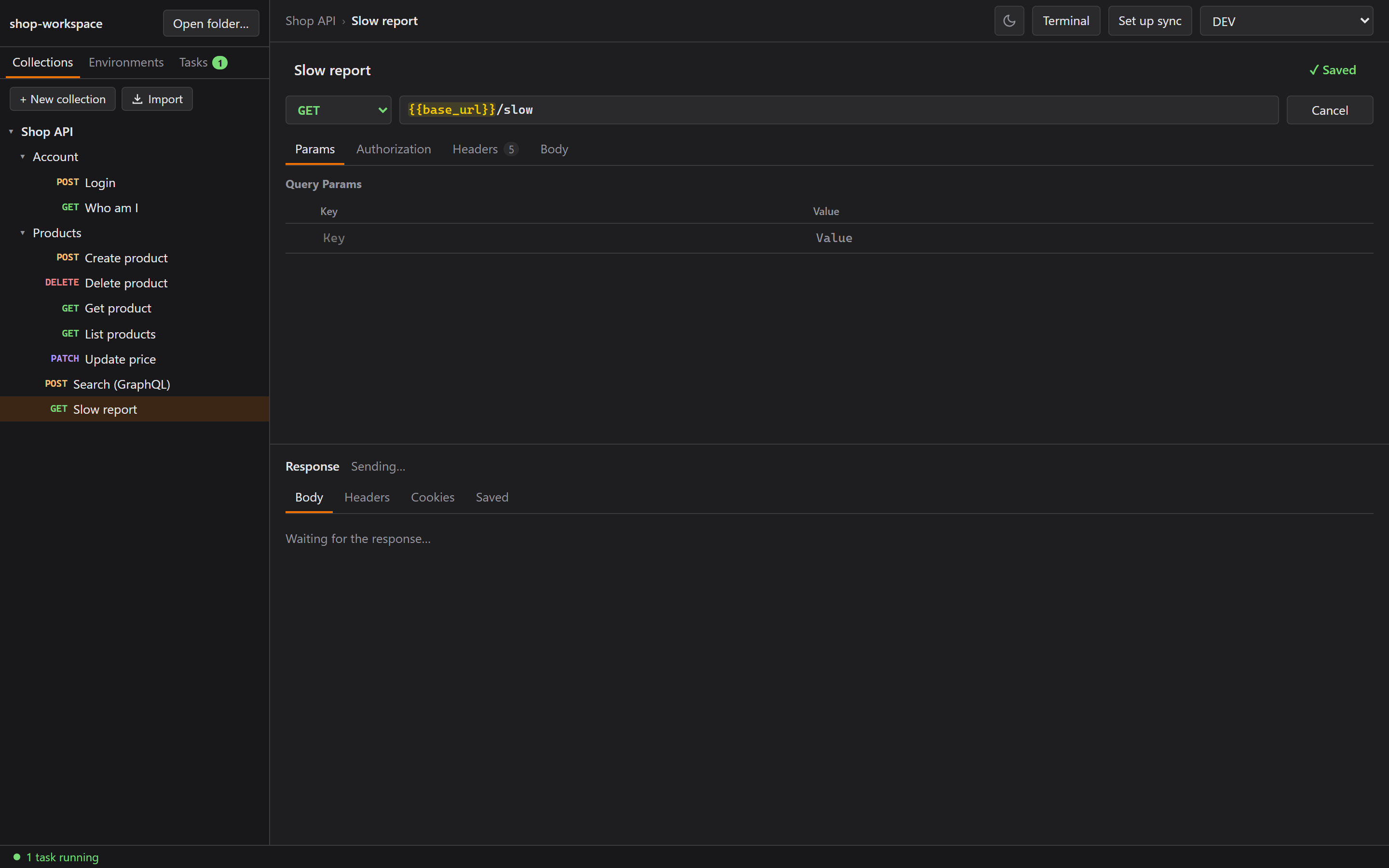
In Part 1 Rustman learned to send requests, keep cookies and save responses. This part is about everything around sending: cancelling a slow request, a built-in terminal, run tasks, importing from Postman, and sharing a request as a file. Oh, and the password I pushed to GitLab. We'll get there.
Cancel, in 23 milliseconds
While a request is sending, Send turns into Cancel, and Esc works too.
In Rust, each send races against a one-shot "cancel" channel with tokio::select!. If the cancel
wins, the unfinished send is dropped, and dropping it aborts the HTTP request. Against a local
server that never answers, the request stopped 23 ms after I clicked Cancel.
A terminal, like VS Code's
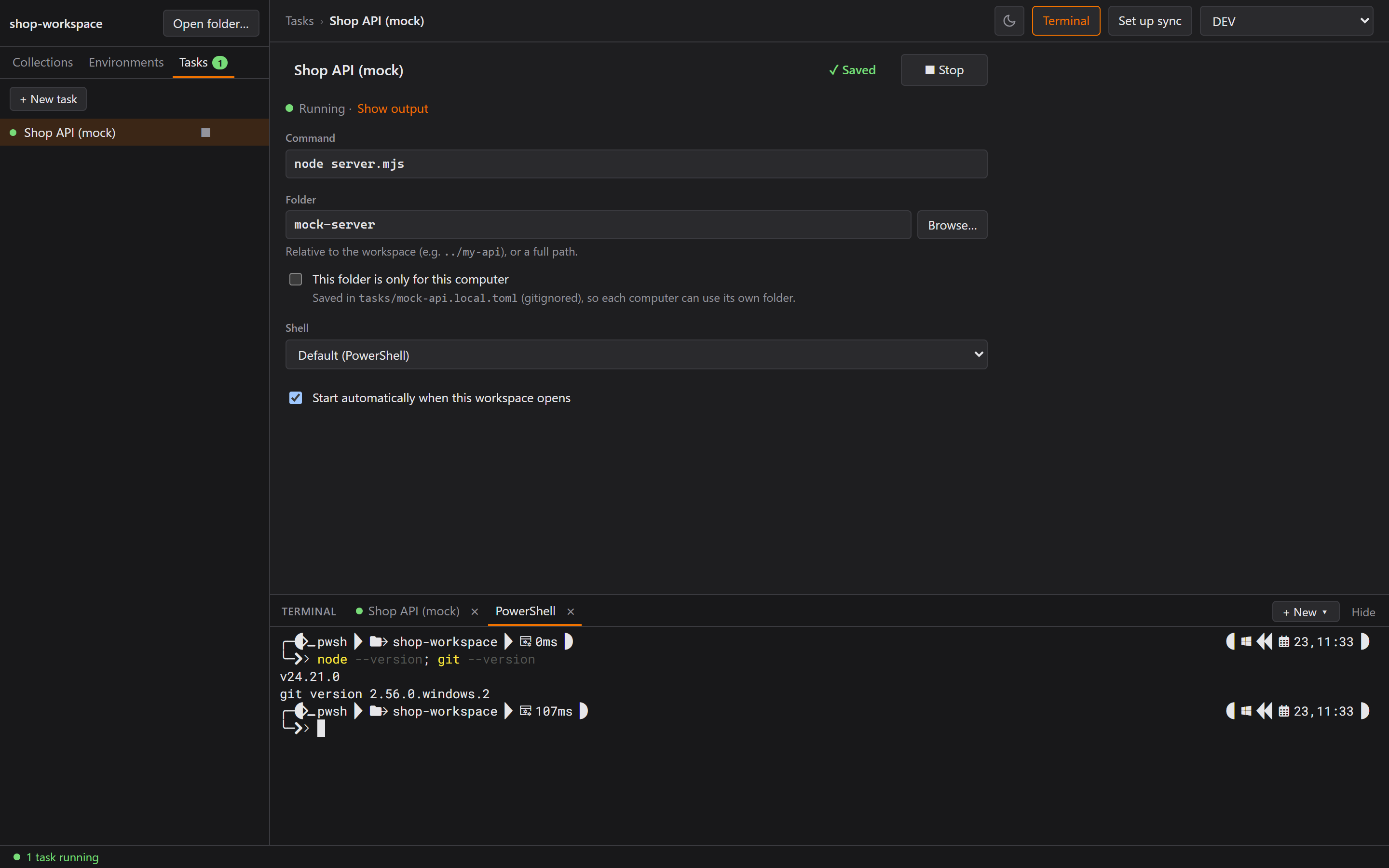
Ctrl+` opens a bottom panel with tabs for PowerShell, Command Prompt and Git Bash, starting in the
workspace folder. Shells keep running while the panel is hidden. Under the hood it's
portable-pty (Windows' ConPTY) in Rust, xterm.js in the UI, and Tauri events in between.
Sounds simple, right? Three things bit me.
1. bash.exe isn't the bash you think
On my machine, bash.exe on the PATH is C:\Windows\system32\bash.exe. That's WSL, not Git
Bash. So Rustman now finds Git Bash next to git.exe (Git\cmd\git.exe → Git\bin\bash.exe), and
a test makes sure the result isn't in System32.
2. The pseudo-console waits for an answer
The Rust tests that start cmd.exe kept timing out, and the shell never exited. Temporary debug
prints showed the reader got exactly 4 bytes, then nothing.
Those 4 bytes were ESC[6n, which means "terminal, where is your cursor?" Windows' pseudo-console
sends it at startup and doesn't start the program until the terminal replies. In the app, xterm.js
answers automatically, so everything worked. The tests had no terminal attached, so nobody
answered, and cmd never started. Imagine waiting forever for someone to say hi back. The tests now
reply ESC[1;1R like a real terminal would.
One more Windows thing: the output stream doesn't end when the shell exits, only when the pseudo-console is closed. So a separate thread waits for the process itself to report its exit.
3. exit ran ixt
I typed exit in the app and got ixt: command not found. Yes, really.
Each keystroke was its own call from the UI to Rust, and Tauri can process those calls in parallel, so the letters raced each other. The fix is a small outbox per terminal: one write in flight at a time, and whatever you type in the meantime goes in the next write. A fast-typed 108-character line now arrives intact.
And the one that wasn't a bug
My feedback after testing: "The terminal works, but my PowerShell uses oh-my-posh, so the profile didn't carry over and it looks bad."
Turns out the profile had loaded. The prompt was right there. What was missing was the font.
oh-my-posh draws its icons with a Nerd Font, my Windows Terminal uses RobotoMono Nerd Font, and
Rustman's terminal used plain Cascadia Code, so the icons showed up as boxes. The terminal now
tries common Nerd Fonts first. (I like my terminal pretty. Don't judge.)
What I actually needed: run tasks
When Claude asked what the terminal was for, I told it straight: "So I can run the local server from Rustman instead of opening my own terminal. On my laptop it's hard to keep track."
A terminal doesn't really solve that. You still have to remember which folder and which command, on every machine. So we built tasks, like VS Code's:
- A Tasks tab. Each task (say, Backend →
npm run dev) has a status dot (green running, grey stopped, red crashed) and a ▶ / ■ button. - A "1 task running" indicator, so you always know.
- Start automatically when the workspace opens.
- One file per task in
tasks/, shared through git like everything else. - "This folder is only for this computer", the same idea as secret variables. The path goes into
a gitignored
.local.toml, so my desktop and my laptop can keep the API in different folders.
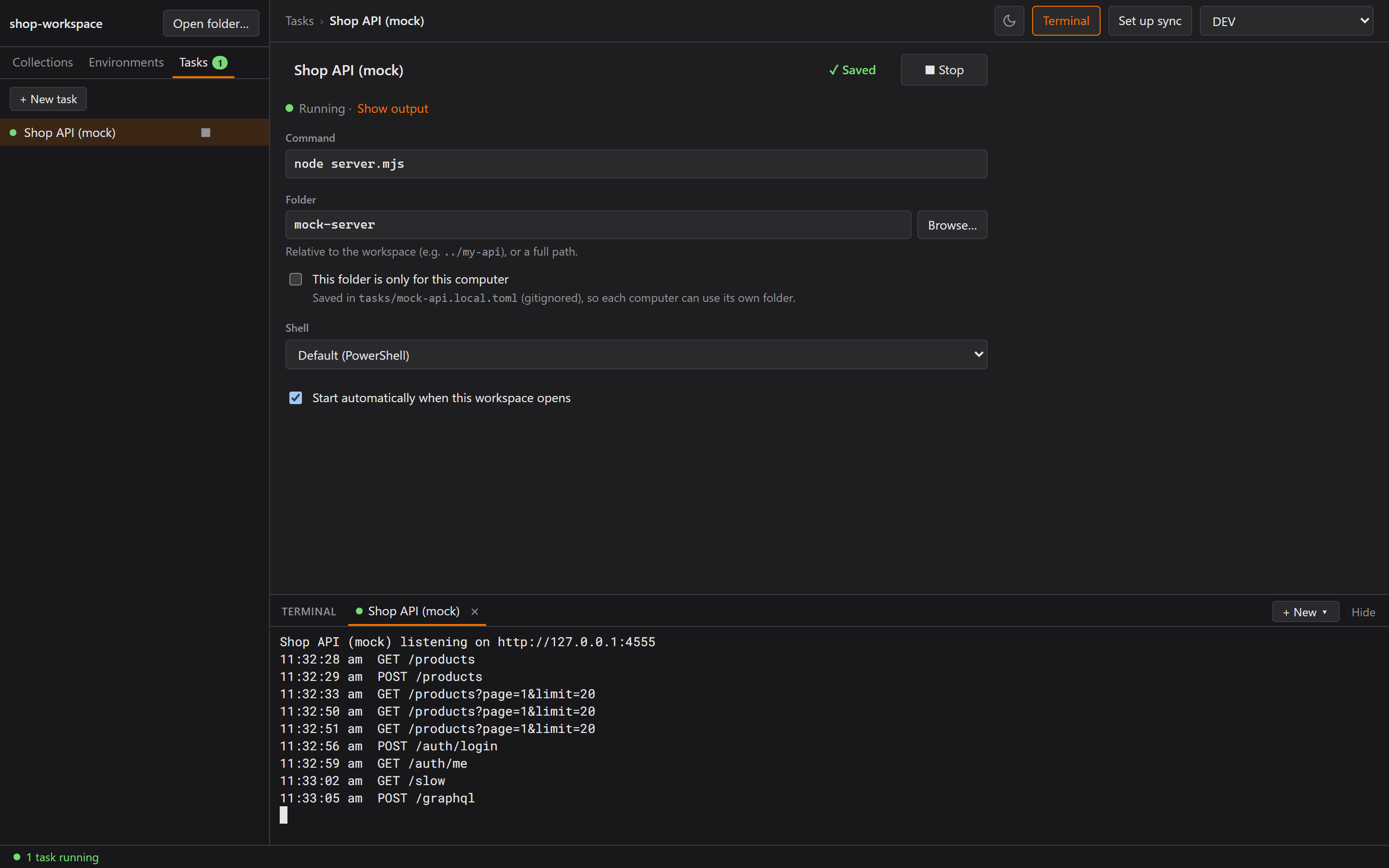
My reaction after the walkthrough: "OMG it's like a terminal profile? And it runs automatically when I open the workspace? This is nice." I asked for a terminal, but what I needed was a button for my server. Telling Claude the real reason got me the better feature.
A test that passed for the wrong reason
I expected that killing the shell would leave node running and holding the port, so Stop uses
taskkill /T to end the whole process tree. Claude wrote a test for it.
Then, to check the test actually meant something, it turned taskkill off. The test still passed!
Closing the pseudo-console already ends every console program attached to it. taskkill /T stayed
(some child processes detach from the console), but the comment in the code got corrected.
Make sure a test fails without the fix before you trust it. I've known that for years, but I still needed to see it happen.
Importing from Postman
Nobody switches tools if they have to retype their collections. I wouldn't. So there's an Import button that takes Postman Collection v2.1/v2.0 and environment exports. Folders, requests, params, headers, every body type, and Bearer/Basic/API Key auth all come across.
The interesting part is where the two apps think differently:
- Auth inheritance. In Postman, a request can inherit auth from its folder. Rustman doesn't have
inheritance, so the importer works out each request's effective auth and writes it in. A
noauthon a request still beats an inherited token. - Examples become saved responses. Postman's examples map neatly onto Saved.
- Path variables like
/products/:idare filled with their saved value, or become{{id}}. - Nothing is dropped silently. The summary lists what couldn't come across: scripts, OAuth 2.0,
file paths from someone else's computer, and dynamic variables like
{{$guid}}.
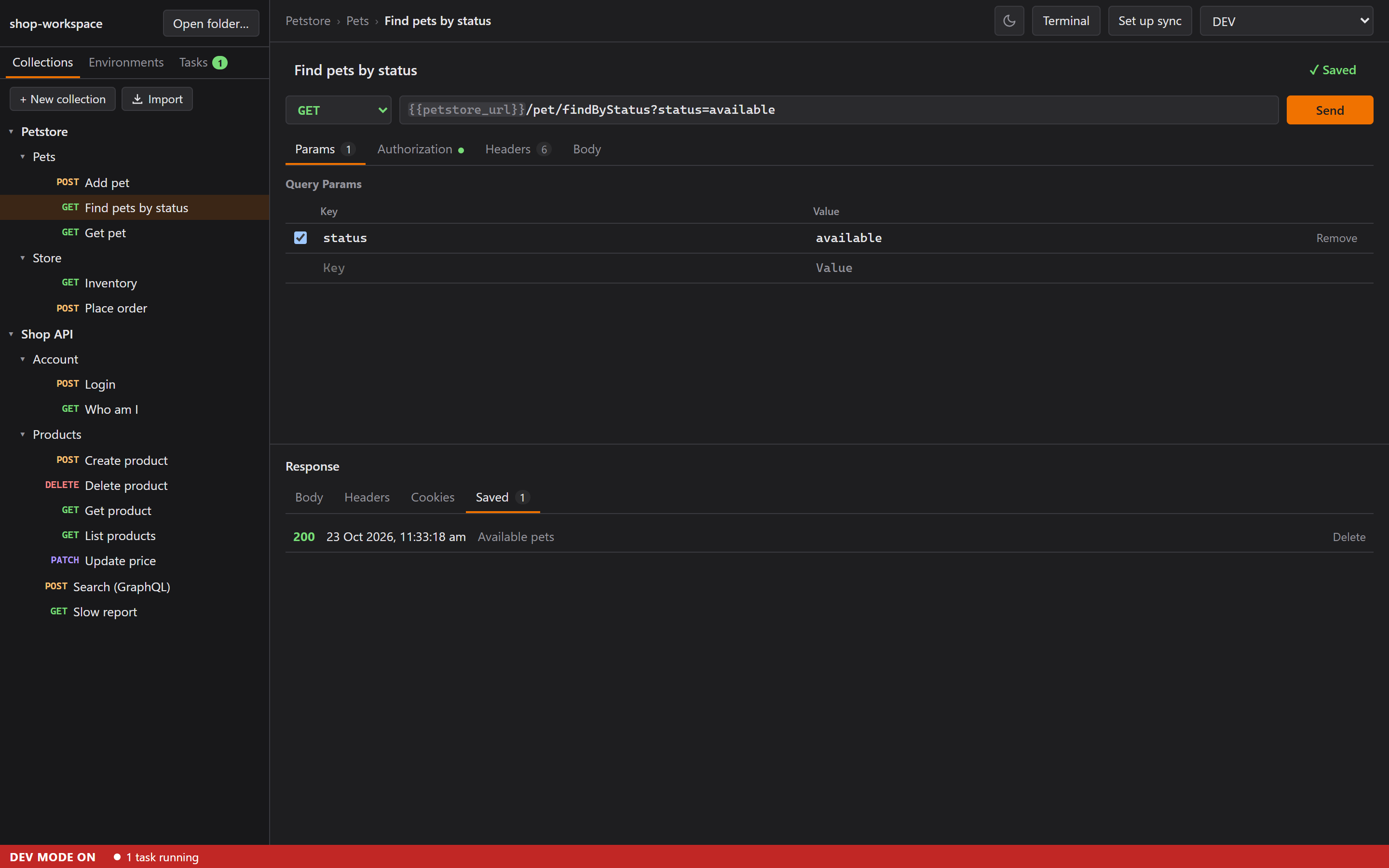
The test was one hand-written collection that tries to break every rule above, plus three files that aren't Postman exports at all. Everything passed on the first run, which almost never happens.
Sharing a request as a Markdown file
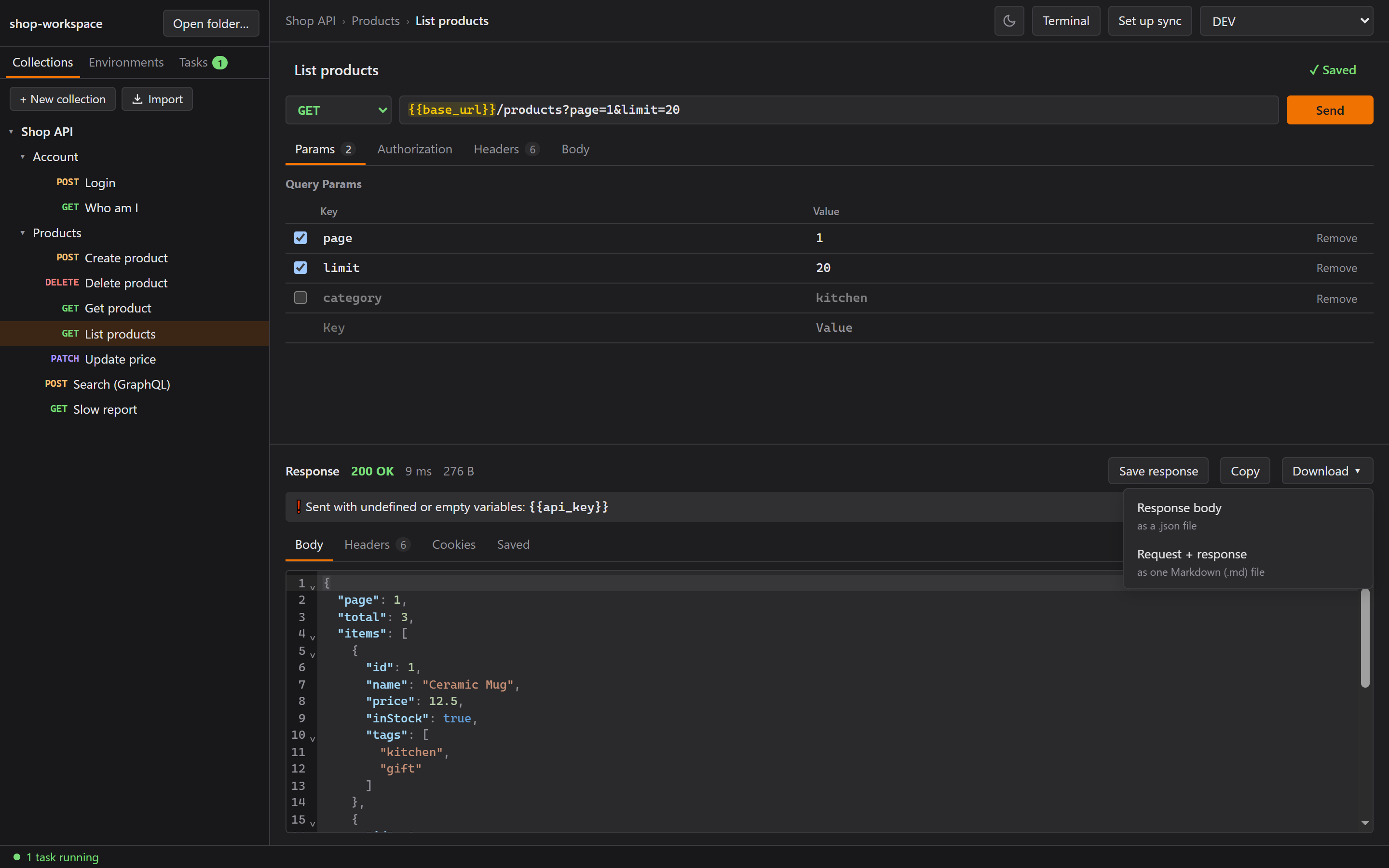
I asked for a Download button: the response body, or the request + response as one readable
Markdown file. Then I asked, "Can we import them back? So it's easy for others: we can just share
the .md files."
So the Markdown export became an import format too. At the end of the readable document, the exact
request and response are written as JSON inside an HTML comment. It's invisible wherever Markdown
is rendered (GitLab, a blog, VS Code preview), so the file is still a normal document for humans,
and Import turns it back into the request. {{variables}} stay unfilled, so secrets aren't in the
file, and the import tells you which variables the request needs.
The fun problem: an HTML comment ends at the first -->, and a request body can easily contain
one. So every double dash in the JSON is written as a dash followed by the JSON escape code for a
dash (a backslash, then u002d). Parsed, it's the same JSON. It just can never close the comment.
A round-trip test exported a body containing --, -->, <!-- and a code fence, imported it
back, and got an identical request.
The test fixture failed at first, and the importer was right. The editing tool that wrote the test
had helpfully decoded the escape into a plain dash, so the fixture really did contain -->. Now
both the test and the exporter build the escape from the backslash's character code, so nothing
can decode it by accident.
The password I pushed to GitLab
Now the embarrassing part. It belongs in the story, so here goes.
While testing Download, I saved two .md exports, and the save dialog opened in the project
folder, where the dev app runs from. The next commit used a blind git add -A and pushed them.
One was a Login request with my REAL password typed into the body (not a {{variable}}, the exact
thing I built secret variables for in Part 1), and its response held a real session cookie.
The repo was still private, which limited the damage. The cleanup:
- Amend the commit without the files and force-push with
--force-with-leasepinned to the bad commit. GitLab refused at first, becausemainis protected against force-pushes, so I turned that on for a minute. - Confirm no commit on
mainstill had the files. - Purge the old files from GitLab with Repository maintenance → Remove blobs, then Housekeeping → Prune unreachable objects. The first step alone wasn't enough: right before I made the repo public, a check showed the old commit could still be opened by its ID. Only after the prune did GitLab answer "not found".
- Change the password, and rotate the backend's JWT secret too. My admin sessions are signed tokens that last seven days, so a new password alone wouldn't have ended the leaked one.
Then guards, in the app and in how I work:
- Downloads go to the Downloads folder, not wherever the app happens to run from.
- A typed-in secret warning. The editor flags passwords, tokens and API keys typed straight into a
request ("Body: password") and suggests a secret variable instead. Downloading such a request
asks first. It looks at the key's last word (
password,accessToken,client_secret), sotoken_typeandpassenger_countdon't trigger it, plus anything shaped like a JWT. - No more blind
git add -A. Every commit's file list gets checked first.
So my mistake turned into a secret detector for every Rustman user. At least something good came out of it.
Where Part 2 leaves me
Windows has opinions: WSL's bash on the PATH, a console that waits for a cursor reply, a two-second connection refusal. None of it is documented where you'd look first, and all of it was found by testing the real thing. But Rustman now has a terminal, a button for my server, Postman import, and a way to share a request as a file.
In Part 3, we tackle the reason Postman charges money: team collaboration. Rustman does it with git, no server of its own, and a few surprises from WSL, DNS and a credential manager.