In this article
Part 1 was the idea, Part 2 the terminal and tasks, and Part 3 team sync. By the end of day one, Rustman did everything I needed. Day two was about making it feel like something I'd want to open every morning.
Remember Claude's very terrible sense of UX from Part 1? Well, this whole part is UX. And funny enough, my first idea was wrong almost as often as Claude's.
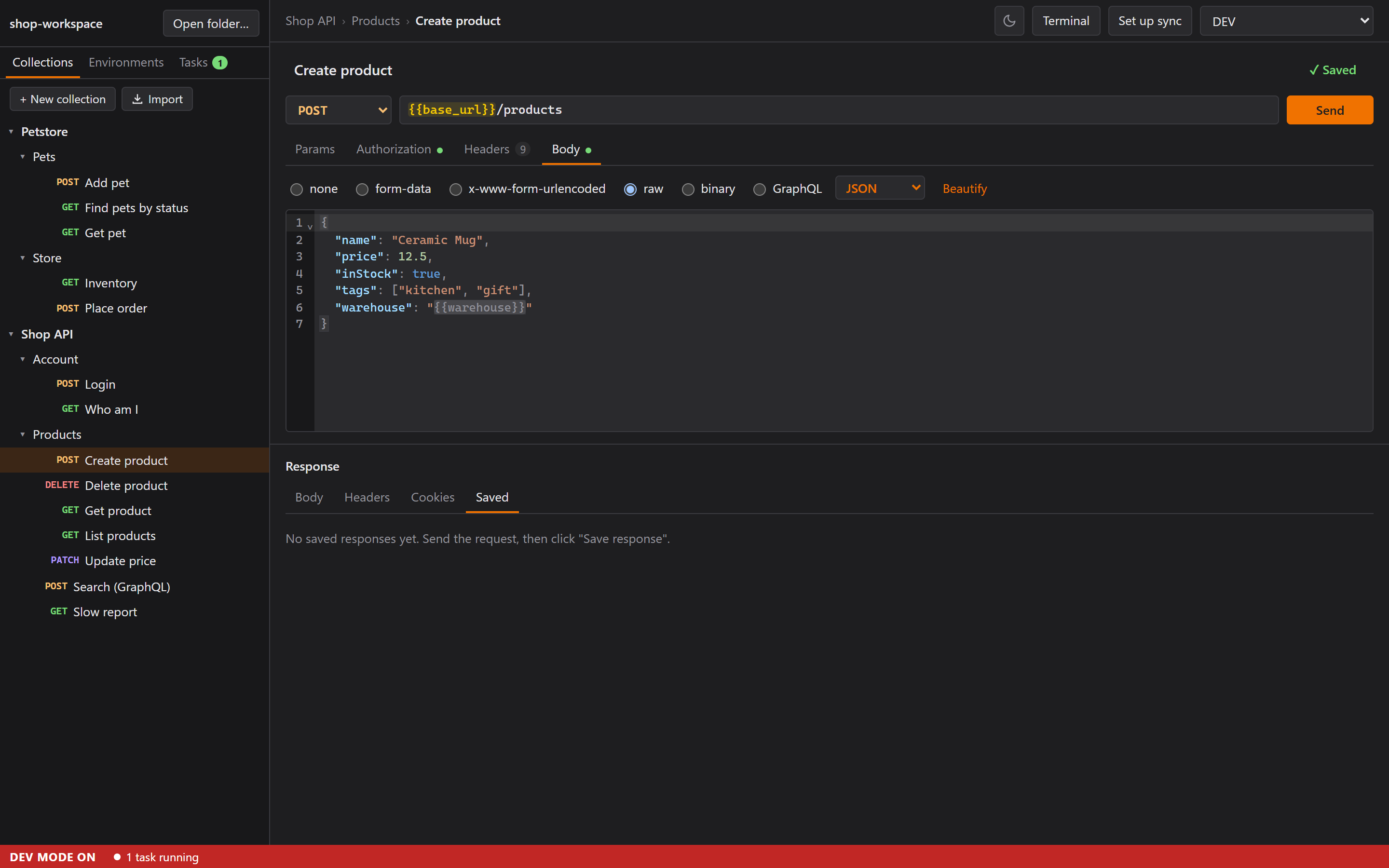
The top bar, rearranged by where my eyes go
I asked for everything in the top bar to sit on the right, ordered by size: theme (one icon), terminal, set up sync, environment. Things you set once go on the right.
That left the left side empty. So we put two things there:
- Where you are:
Shop API › Orders › Create order, with an orange dot while there are unsaved changes. - And at the bottom, a VS Code-style status bar for running tasks and the sync state ("✓ Synced 10:42"). I wasn't sure where status belonged, until I noticed: "When I use it, my eye is on the left side most of the time." So status went bottom left.
Production turns red
If the active environment's name contains "prod" or "production", the environment picker turns red. Sending to production by accident is the classic API-client mistake (I mean, who hasn't?), so I wanted Rustman to make it impossible to miss.
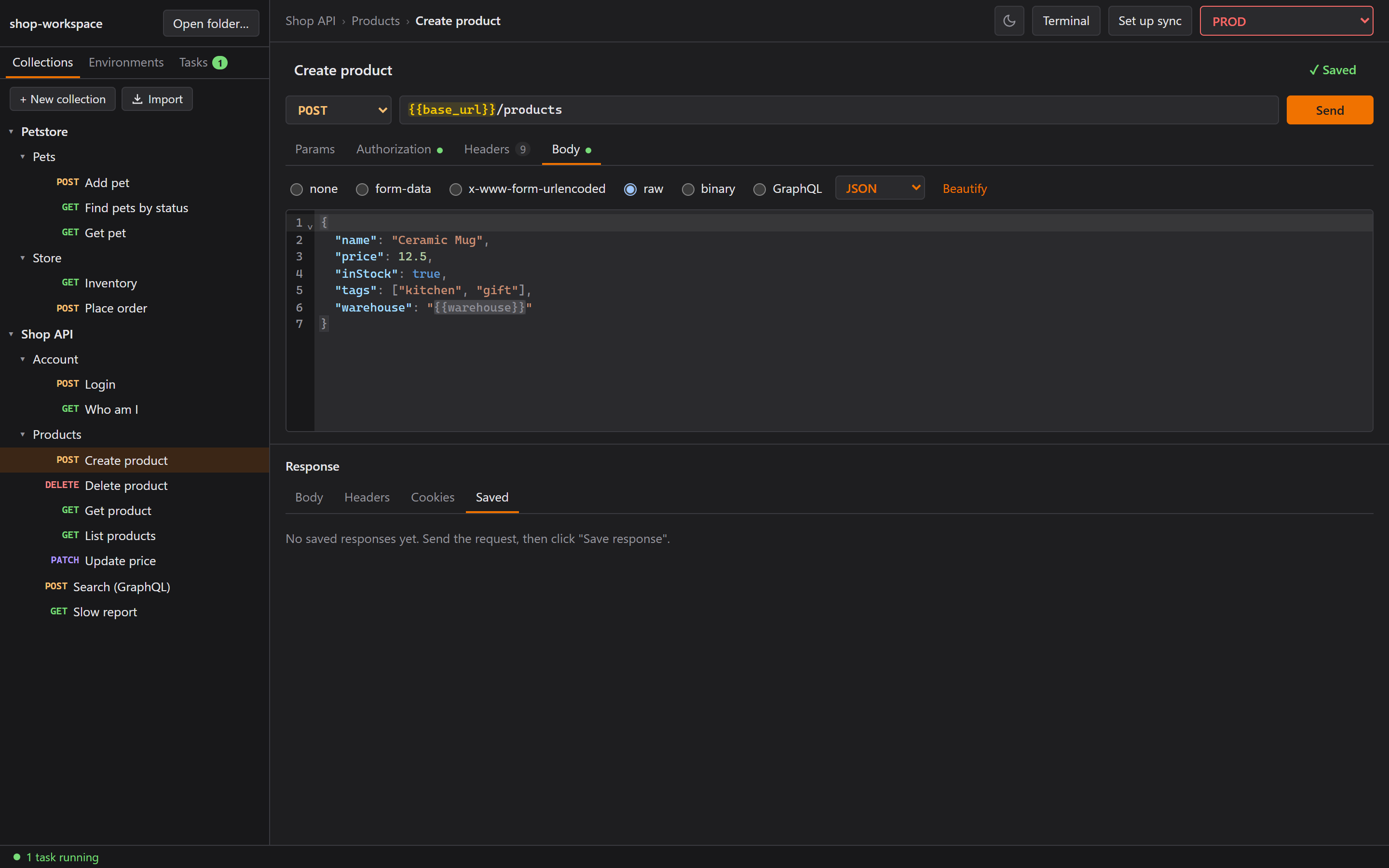
The screenshots caught one detail: right after you pick PROD, the picker keeps focus, and its orange focus ring covered the red border. So the focus ring is red too now.
"DEV MODE ON"
I run the dev build next to the installed app, and I kept mixing them up. I wanted the window title to say (DEV MODE ON) in red. Turns out Windows draws the title bar itself and doesn't let apps color the text. Thanks, Windows. So the title says it, and in a dev build the whole status bar is red and starts with DEV MODE ON. Harder to miss than any badge.
Drag and drop that can't hurt you
The standard design is drag = move, Ctrl+drag = copy, like Windows Explorer. That's what Claude proposed. I said no:
Holding Ctrl is not very user friendly. And there will be times when people accidentally drag and move something. I sometimes do that.
(Yes, I'm that person.) So the rule became: same folder = reorder, another folder = copy. A slip of the mouse at worst makes a copy, or reorders something you can drag back. If you really want to move something, Cut, then Paste.
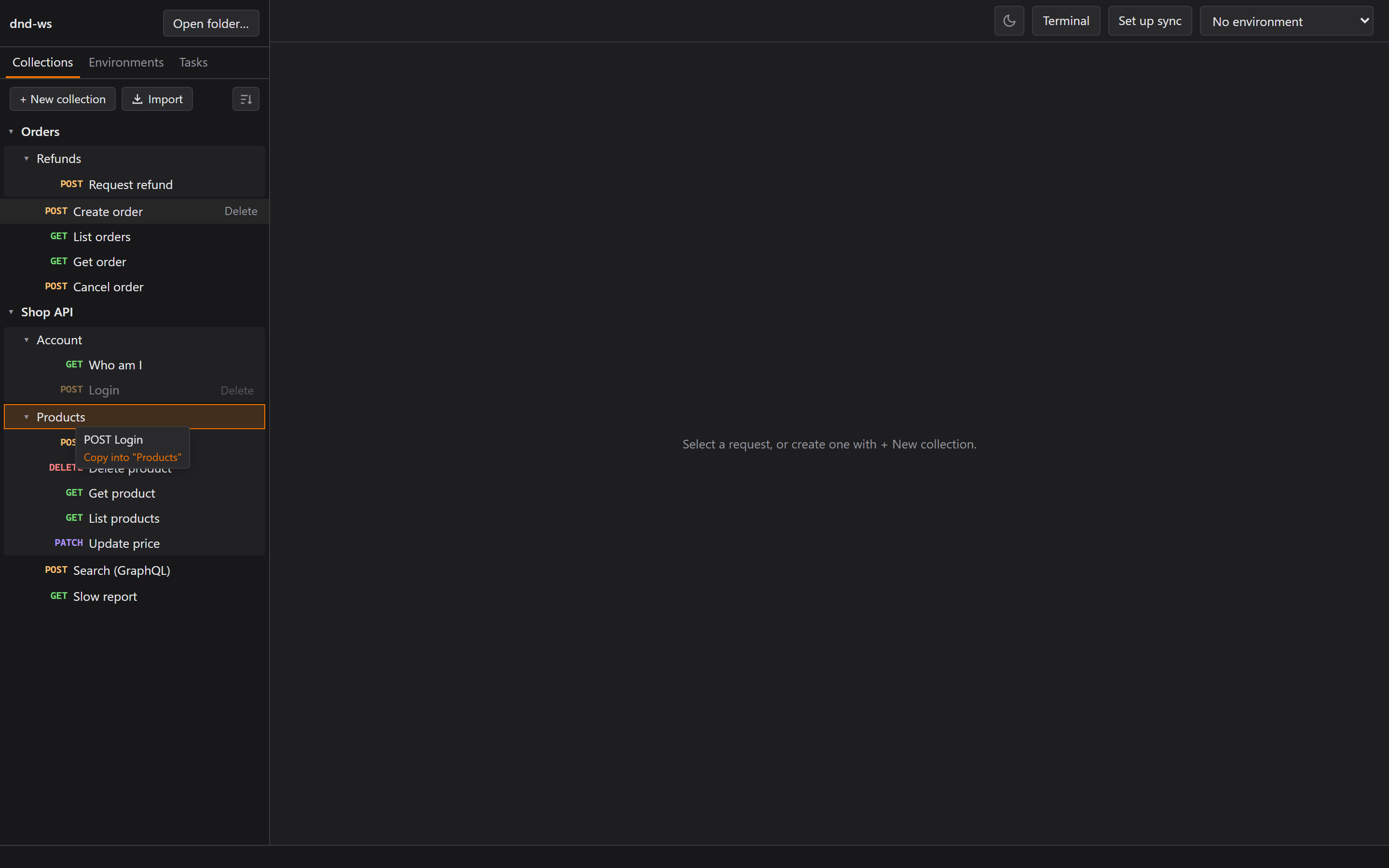 The label next to the cursor says what will happen before you let go.
A few details I like:
- A copy gets
[1]only if the name is taken in that folder, and copyingLogin [1]again givesLogin [2], notLogin [1] [1]. - Your order is saved and synced, in the folder's own file (
order = [...]). Requests a teammate adds that aren't in the list just follow A to Z, so two people's changes merge cleanly. - Rename changes the name inside the file, never the file name, so git history stays quiet.
- It's built on pointer events instead of HTML5 drag and drop, because on Windows, Tauri's file-drop handling swallows HTML5 drag events. (Windows again.)
Earlier the same day I'd asked for a "sort by method" button (GET, POST, PUT, PATCH, DELETE). The question was whether sorting should change the files. If it did, every teammate would get my sort through sync, and two people sorting differently would conflict. So sort is view only, like the theme. Your own drag order is shared. Your sort preference isn't.
Then folders got a lightly shaded box around their contents, because "it's hard to tell the request outside the folder from the folder."
History
Every send is recorded: per workspace, kept 30 days by default, response bodies cut at 1 MB. It's
gitignored and never synced, because history is personal and responses can hold tokens (Part 2
taught me that one the hard way). Requests are stored as written, with {{variables}}, so secret
values stay out.
- One file per day (
history/<day>.jsonl). A busy day has hundreds of sends, and clearing an old day is then just one file delete. - The entry is written in Rust, right after the send, so closing the window can't lose it.
- The plan was for an entry to open read-only. Instead it opens in the normal editor, like Postman: edit and send again freely, and Save becomes Save as request…
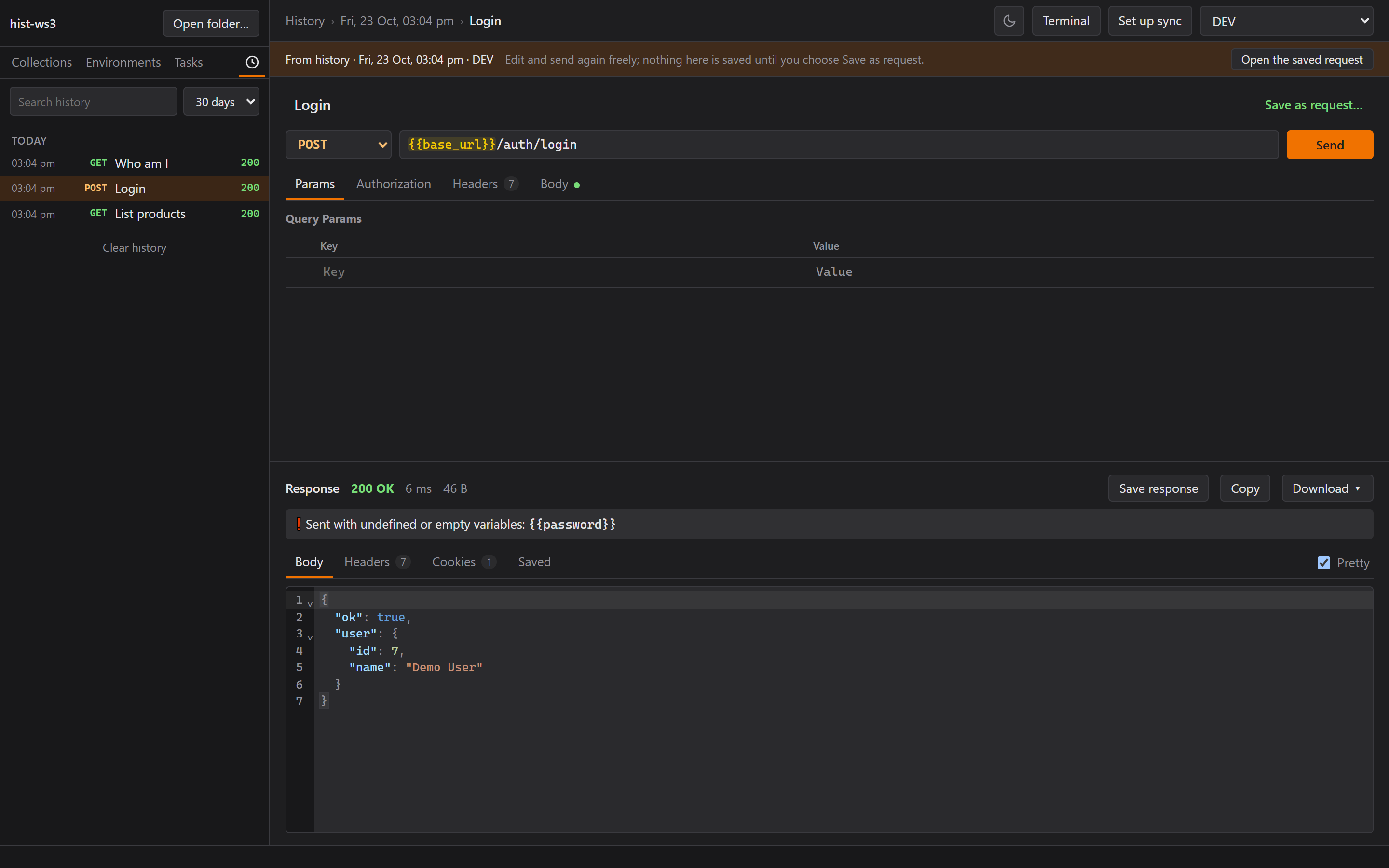
One bug I found by eye: "The history tab looks outside the box, but when I stop the task, it looks nice." With four text tabs, History ended exactly at the sidebar's edge. 279 of 279 pixels! A running task's "1" badge pushed it out. History is a clock icon now.
Copy as curl
Yes, the guy who never liked curl built a curl button. The </> button shows the request as curl
(bash), curl (Windows cmd), PowerShell or JavaScript fetch.
The important decision was one source of truth. The code that builds a request for Send was split out, and the snippets are rendered from that same code. So "Copy as curl" can't drift from what Send actually sends.
And because snippets get pasted into chats and tickets, secrets stay out by default. A secret
variable becomes a shell variable ($TOKEN, %TOKEN%, $env:TOKEN) with a first line telling you
what to set. There's a "Fill in secret values" checkbox, but it's off by default and never
remembered.
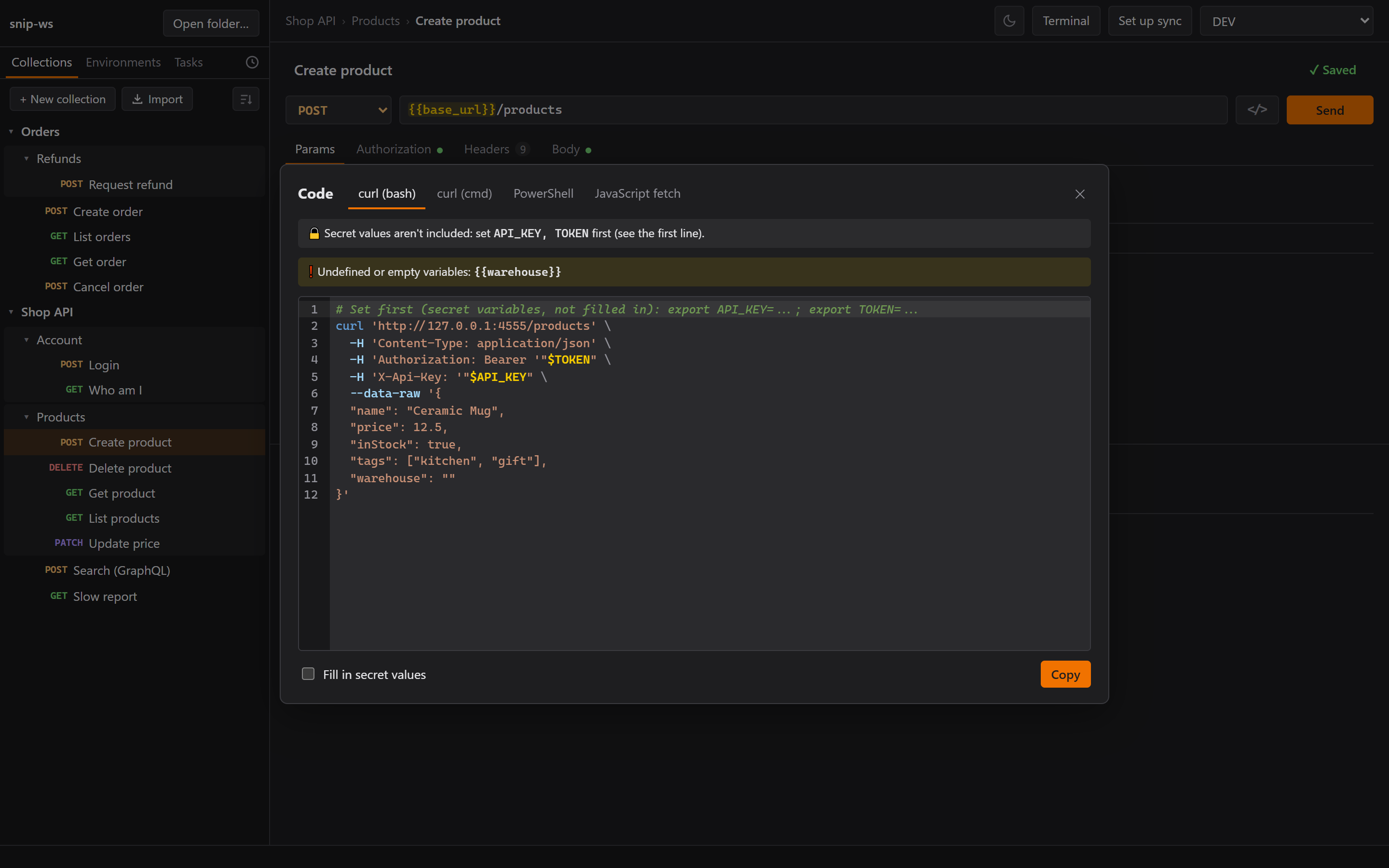
Quoting is where snippets go wrong, so each format was actually run: bash, a .cmd file,
PowerShell 7, Windows PowerShell 5.1 and Node, against an echo server, with a token containing a
' and a $. All five sent the same thing. Two bugs got caught before that. In cmd, two quoted
strings side by side make a literal quote. And PowerShell doesn't evaluate
'Bearer ' + $env:TOKEN when it's passed as an argument.
Search, and then tabs
Ctrl+K searches the tree as you type: request name, URL, method, and the folder names around it.
Every word must match somewhere, so orders get means "GET requests in Orders".
Then tabs. I expected this one to be painful, because the whole app was built around exactly one open item: saving, the "save changes?" prompt, reloading after a sync, history. Instead of rewriting all of it, the active tab simply is that open item, and other tabs park a copy of their state until they're shown again. Everything that worked before kept working. Like cooking, you don't throw away the soup because you want a second bowl.
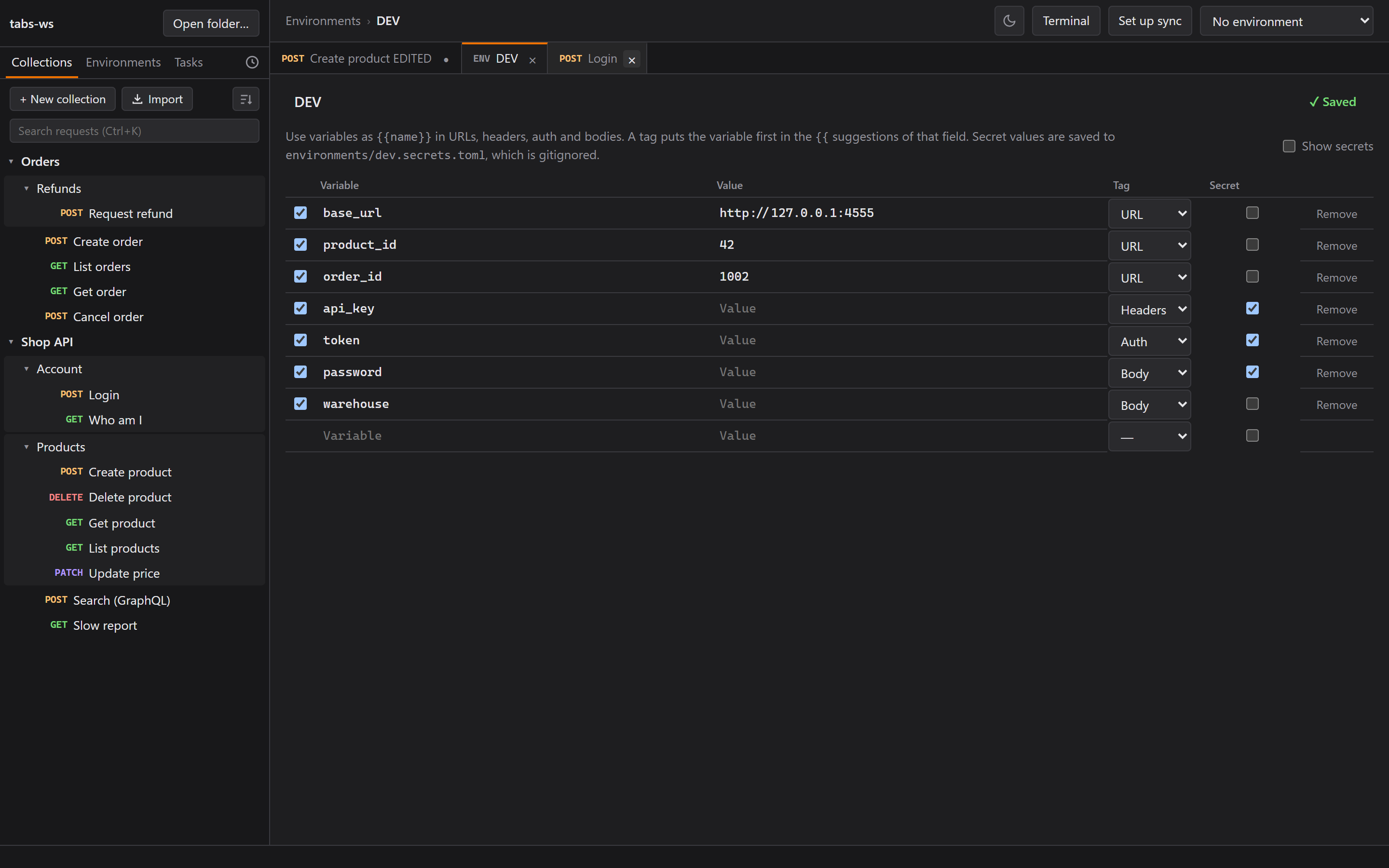
Switching tabs never asks. Edits stay in their tab, marked ●. A single click opens an italic preview tab that the next click replaces, like VS Code. Tabs come back when you reopen the workspace. Then 24 checks in the real app with real mouse and keys, all passing on the first run, and me: "OK nice, the tabs work great."
Version 0.4.0, same day.
Simple tests, and collection variables
Postman's tests are JavaScript. I wanted something you pick from dropdowns: status code, response
time, a header, or a JSON value ($.items.length, $.user.email), compared with equals, less
than, contains, matches, exists. They run in Rust after every send, the response shows
"✓ 4/4 tests", and the tests live in the request file, so they sync.
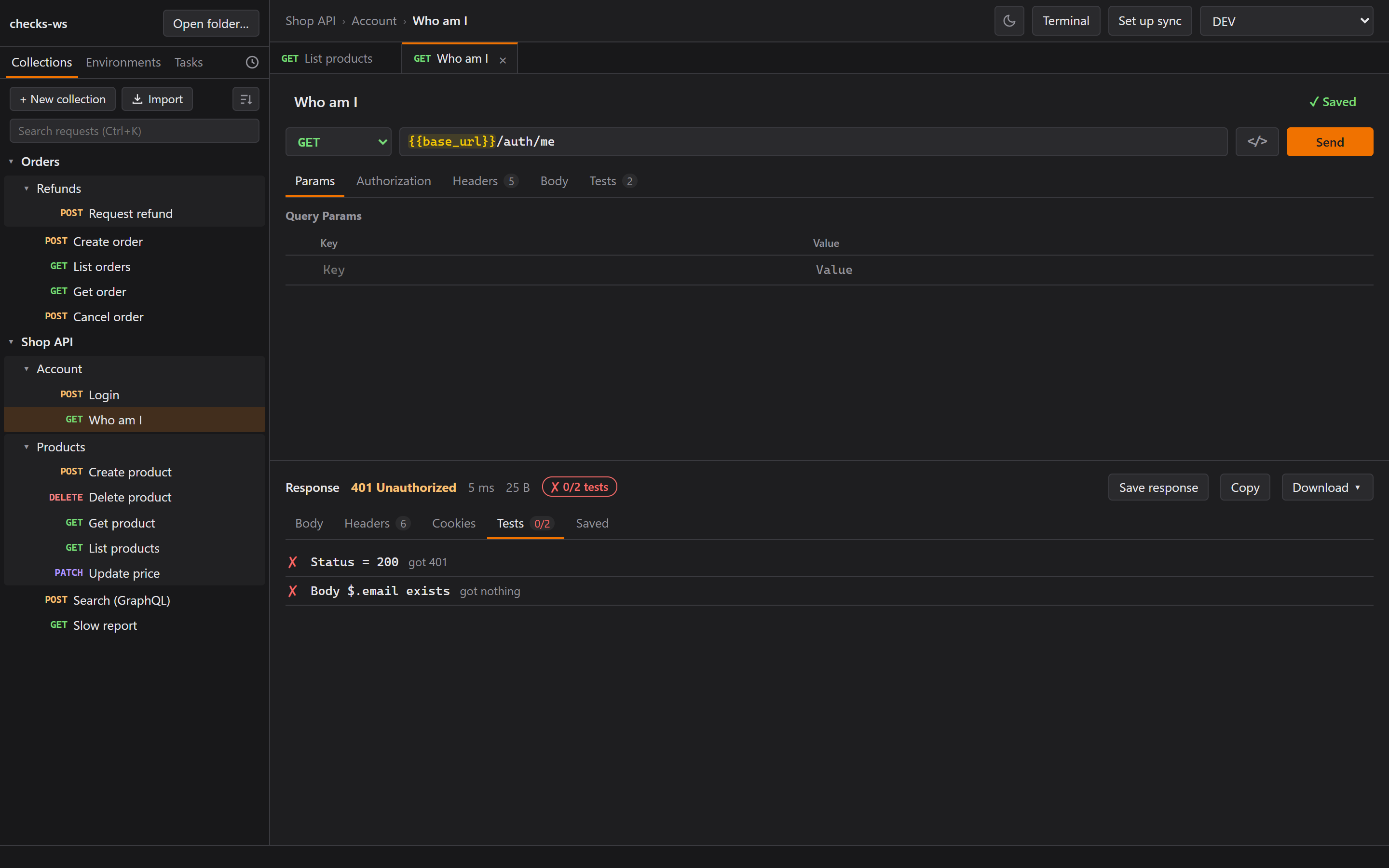 The example's "Who am I" fails until you log in, so you can see a failing check without breaking
anything.
The example's "Who am I" fails until you log in, so you can see a failing check without breaking
anything.
My reaction: "Ah, I see it now. Yes, this will help a lot."
Collection variables are defaults for every request in a collection ({{page_size}}), saved in
collection.toml so they sync. An environment can override them, and hovering a variable now says
where its value came from. No secrets here, because a collection file is always shared.
They first opened from a right-click. I wanted them in a collection tab, "some sort of collection management". But then, on second thought: "Right now I like that I can click anywhere and it opens or closes the folder." So a plain click still toggles, and the tab opens from a ⧉ button on hover or a double-click. (A double-click toggles twice, so the folder ends up where it was.)
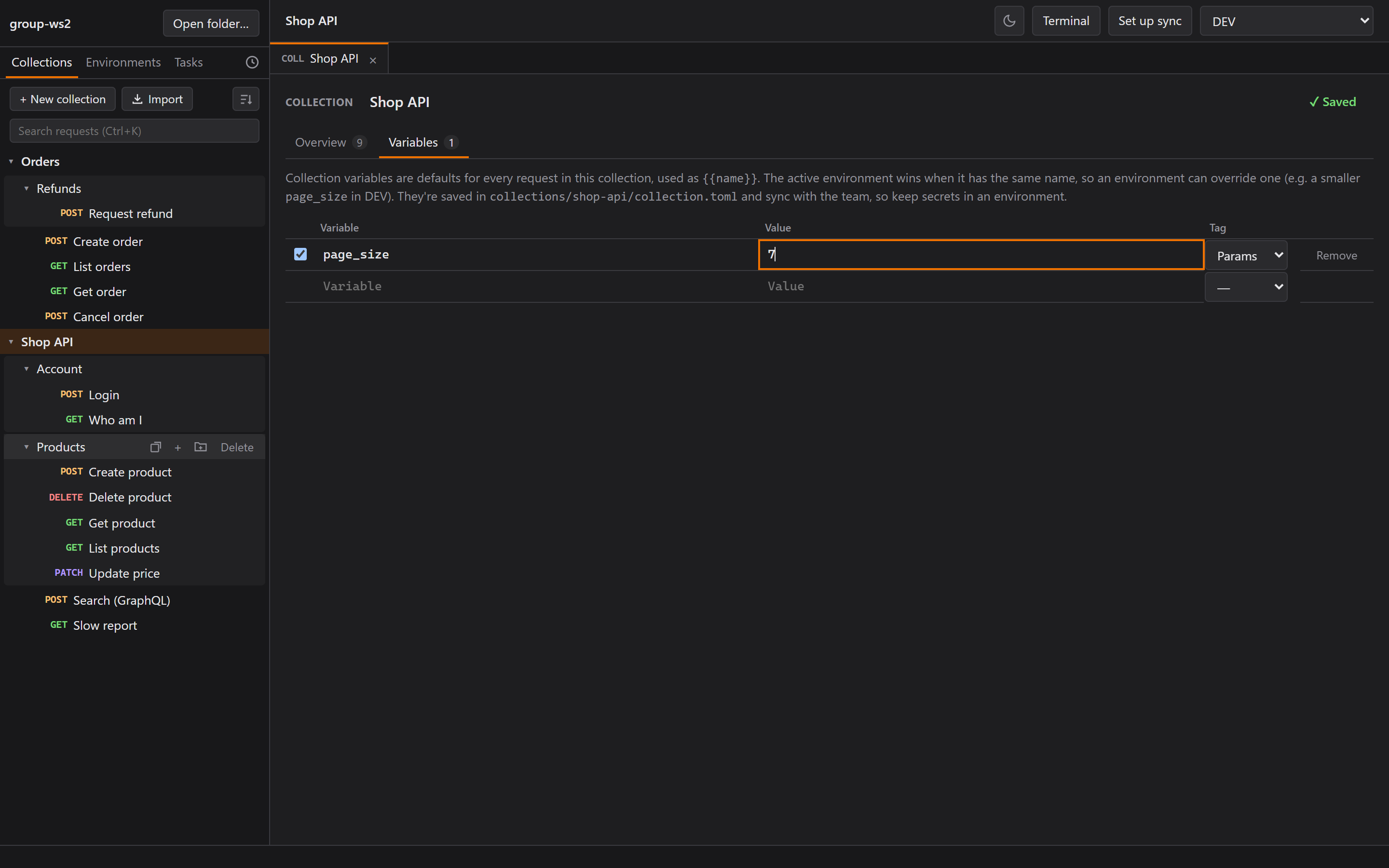
Then I asked for drag and drop and the right-click menu in the tab's overview too. But that's just the sidebar's tree again! So instead of building a second tree, the tree moved into its own component, used by both. Copy in a tab, paste in the sidebar. That's 0.5.0.
The feature I said no to
The last item on the list was an optional MCP server, so an AI assistant could work with Rustman. Before building it, I asked Claude directly: "Do you think adding MCP to Rustman will help you?"
Claude's answer: not much. A workspace is plain TOML files, one per request, which an AI coding
tool already reads and edits. Requests can be sent with curl. The one real gain would be sending
a saved request with secrets filled in on Rustman's side, without the AI seeing them, and a small
rustman send command would give that to every tool, script and CI pipeline more cheaply.
My verdict: "The MCP is just a wow factor, or what we call nowadays FOMO. Maybe we should focus on UI/UX first." Parked.
Looking back, that's how most of the good decisions in this series happened. Drag = copy, view-only sort, no MCP: each one came from me saying what I actually do ("I sometimes drag things by accident"), and Claude adjusting the design around it. I made the decisions, tested everything by hand, and said "no" a lot. And Claude reused what already worked (the open item for tabs, the editor for history, the sidebar tree, the code that builds a request), which was faster and had fewer bugs every time.
Where Rustman is now
Two days, version 0.5.0, a 3 MB installer. It sends every kind of request Postman does, keeps responses and history, syncs through any git repo, runs my local servers, imports my Postman collections, and turns red before I touch production.
It's not finished. Still on the list: OAuth 2.0, folder-level auth, a rustman send command, and
whatever annoys me next week. The code is public and MIT licensed, and the installers are on the
Releases page. If you try it, issues and merge requests are welcome.
So where is Rustman going?
To be honest, I don't know. I didn't put extra hope on it. I just want it to be my API tool.
If I get any money from it, that's my win. If people join the collab, that's our win. If I'm the only person who uses it, it's also my win. Because Rustman was built based on what I want.
Just like cooking: cook what you want it to taste like.